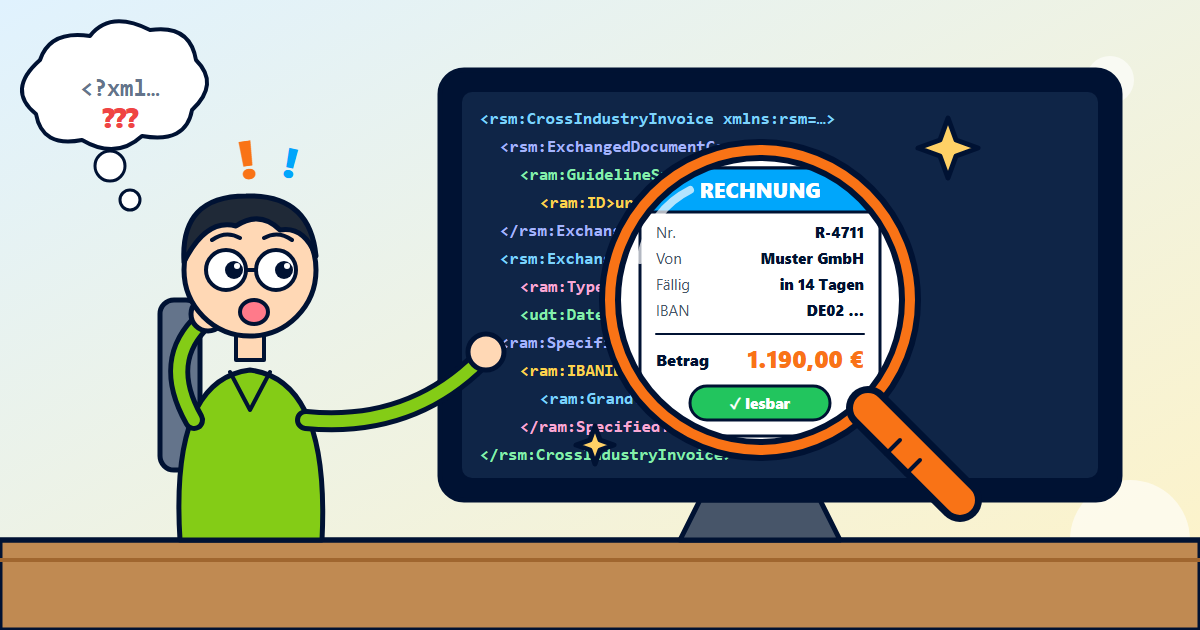
An XRechnung is an XML file with the invoice data, but without a page view. In a browser or text editor you therefore only see source code; it only becomes readable with a program that prepares the data. Without an account, you can upload the file to the validator, which validates it and shows the most important details such as invoice issuer, number, amount, due date and IBAN in plain text.
As of: Oct. 26, 2026
This guide is a machine translation of the German original as of Oct. 26, 2026. Only the German version is authoritative: read the German version. If you contact us, please write in German or English.
What is inside an XRechnung
XRechnung is the German standard for e-invoices according to the European standard EN 16931. The file is XML, a text file with structured fields: invoice issuer and recipient, invoice number and date, line items, tax amounts, payment details. It exists in two notations (syntaxes), UN/CEFACT CII and OASIS UBL. In terms of content, both are equivalent.
Unlike a PDF, the XRechnung has no page view. The data is intended for processing by programs. For people, the invoice only becomes readable when a program prepares the fields.
Three ways to read an XRechnung
- In the validator, without an account: upload the file to the validator (XML or PDF). You see a summary with invoice issuer, number, amount, due date and IBAN. Units, tax categories, countries and payment methods are shown in plain text instead of as codes.
- With an account: import incoming invoices (CII, UBL or ZUGFeRD PDF) and file them with status and payments. Incoming imports do not count towards the invoice quota, but use up one validation.
- In a text editor: for a quick look, an editor is also enough. However, you then have to find the details in the XML elements yourself.
Checking whether the invoice complies with the rules
Reading is one thing, checking is another: the validator validates the file against the official validation rules of KoSIT (Koordinierungsstelle für IT-Standards, the German coordination office for IT standards), and additionally with Mustang and the EN16931 Schematron. Each message in the validation report links to a validation rule page with an explanation, where available. One example is BR-DE-15: the buyer reference is missing from the XRechnung, for public contracting authorities usually the Leitweg-ID.
If the validation reports errors, contact the invoice issuer and ask for a corrected invoice.
Who has to receive e-invoices
Since Jan. 1, 2025, all businesses in Germany have had to be able to receive e-invoices from other domestic businesses, including small businesses. According to the BMF letter, an email inbox is sufficient for this. The E-invoicing mandate check shows from when you yourself have to issue e-invoices.
How to proceed
- Not sure whether a file is an e-invoice at all? The quick check “Is this an e-invoice?” recognises the format and profile of a PDF or XML file without an account.
- Upload and read the XRechnung in the validator without an account.
- With a free account, import and manage incoming invoices.
Frequently asked questions
Why does my browser only show code for an XRechnung?
The XRechnung only contains structured data in XML, no page view like a PDF. The browser displays this data as source code.
Is an XRechnung the same as a ZUGFeRD invoice?
Both are e-invoices according to the European standard EN 16931. An XRechnung is a pure XML file. A ZUGFeRD invoice is a PDF with an embedded XML file; you can open the PDF as usual.
Can I also validate a ZUGFeRD invoice in the validator?
Yes. The validator accepts XML files (XRechnung, ZUGFeRD XML) and PDF files with an embedded XML file.
What do I do if the validation reports errors?
The validation rule page for the message explains what is missing or wrong. A faulty invoice is corrected by the invoice issuer; ask them for a new invoice.
Sources
- BMF-Schreiben zur Einführung der obligatorischen E-Rechnung zwischen inländischen Unternehmern (BMF letter on the introduction of mandatory e-invoicing between domestic businesses) (Oct. 15, 2025, III C 2 - S 7287-a/00019/007/243)
- BMF-Schreiben zur obligatorischen E-Rechnung – ergänzende Regelungen (BMF letter on mandatory e-invoicing – supplementary rules) (Oct. 15, 2026, III C 5 - S 7287-a/00019/021/017)
- § 14 UStG (Ausstellung von Rechnungen) (issuing invoices)
This article summarises the sources listed in general terms and is not tax or legal advice. For your individual case, please consult a tax advisor.